Why Your Business Pin Disappeared from the Map Pack and the 5-Minute Verification Check
There is no feeling quite like the “Ghost Town” sensation in local search. You wake up, grab your coffee, and perform a routine search for your primary service. Yesterday, you were sitting comfortably in the top three. Today, your competitor’s pin is mocking you from the screen, but your business has completely vanished. It’s as if you never existed. As a Local SEO Consultant who has spent decades in the trenches of Google Business Profile (GBP) troubleshooting, I can tell you that this isn’t just bad luck – it’s a technical or algorithmic trigger. In 2026, the landscape of google business profile seo has shifted. Proximity remains king, but “active verification” and AI-driven filters are now the ultimate gatekeepers of the Map Pack.
The “Ghost Pin” Phenomenon: Technical Glitch or Algorithmic Filter?
When a client calls me panicking because their pin is gone, the first thing we determine is whether we are dealing with a “Missing Pin” or a “Filtered Ranking.” A missing pin is a critical failure; it means your profile is no longer indexed or has been suspended. A filtered ranking, however, is more subtle. This is when your business still appears when you search for its exact name, but it has been suppressed for categorical keywords like “plumber near me” or “emergency dentist.”
In my experience, the “Ghost Pin” phenomenon is rarely a random glitch. Our research into 2026 ranking patterns shows that even minor address updates, changes to service areas, or the mass uploading of low-quality, AI-generated photos can trigger a re-verification loop. Google’s algorithms are now hyper-sensitive to data volatility. If the system detects a mismatch between your dashboard and third-party aggregators, it may temporarily pull your pin from the Map Pack to protect the integrity of its results. To combat this, staying ahead with advanced google business profile seo strategies is no longer optional; it is a requirement for survival.
The 5-Minute Verification Check: A Diagnostic Workflow
Before you spend thousands on a recovery agency, perform this 5-minute diagnostic. This is the exact workflow I use when a high-value profile drops off the map. Time is of the essence, and these steps will pinpoint the “why” behind the disappearance.
- The “My Business” Search: Log into your primary manager account and search “My Business” in Google. Does the dashboard show a “Not Publicly Visible” warning? If so, you are likely facing a soft suspension or a pending verification request.
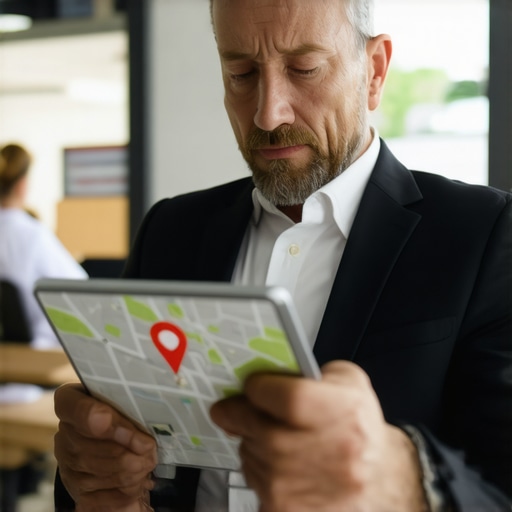
- Check the “Red Pin” Status: Navigate to the “Edit Profile” section and look at your map location. Is the marker still precisely where you set it? Sometimes, a Google Maps user edit (or a competitor’s malicious suggestion) can move your pin to the middle of the ocean or a different zip code, effectively removing you from local relevance.
- Verification Status Banner: Look for the dreaded “Verification Required” or “Verification Under Review” banner. In 2026, Google has moved almost exclusively to video verification. If you haven’t completed this, your pin will remain in limbo.
- The Incognito Test: Open a private window and search for your category + city. If you don’t see your pin, search for your exact business name. If the name search works but the category search doesn’t, you haven’t vanished – you’ve been filtered.
- The Proximity Audit: Use a google maps rank tracker to see your visibility radius. If you are only visible within 500 feet of your office but invisible two blocks away, you are suffering from a proximity squeeze, not a disappearance.
It is important to note that video verification is now the gold standard. It requires a live or recorded walkthrough showing permanent signage, business tools, and proof of location. If your profile is “Under Review” for more than 5 business days, you have a data conflict that needs manual intervention.
Why Your Profile Vanished: The 3 Most Common Culprits
Understanding the root cause is the only way to implement a permanent fix. Based on the thousands of profiles I’ve audited, three culprits stand out in the current 2026 search environment.
1. The Verification Loop
Google’s 2026 AI integration, powered by Gemini, is constantly scraping the web for NAP (Name, Address, Phone) consistency. If you changed your phone number on Yelp but not on your website, or if your LLC filing address differs from your GBP address, the AI can trigger a re-verification loop. This effectively hides your pin until you prove, once again, that you are a legitimate entity. You might find Why Your Business Profile Vanished From Maps and the 4-Minute Recovery helpful if you find yourself stuck in this cycle.
2. The Proximity Filter
You haven’t necessarily vanished; you’ve just been out-optimized. If a competitor within a closer radius to the searcher suddenly improves their local signals, Google’s “Possum” filter may hide your pin to provide “variety” in the results. This is where professional local seo tools become invaluable, allowing you to see exactly where your “ranking wall” exists.
3. Suspension or Shadowbanning
A hard suspension is obvious – you get an email. A shadowban is more insidious. This happens when Google keeps your dashboard “Active” but stops displaying your pin for any competitive keywords due to suspicious activity (like keyword stuffing your business name). If you suspect a suspension, refer to The Exact Appeal Path we Used to Recover a Suspended Google Profile in 48 Hours for a proven recovery blueprint.
If you’ve checked these and are still seeing nothing, it’s time to look at 7 Urgent Fixes for a Local SEO Emergency When Map Traffic Tanks.
Advanced Fixes for the “Invisible” Pin
Once you’ve cleared the basic verification hurdles, you need to address the technical signals that tell Google your pin is worthy of the Map Pack. If your pin is invisible, it’s often because the “connective tissue” between your website and your profile is broken.
Schema Errors: Local Business Schema is the language Google uses to verify your physical existence. A single syntax error in your JSON-LD code can cause Google to lose trust in your location data. I’ve detailed the most common pitfalls in The Specific Schema Error That Keeps Your Business Hidden from Local Results. Fixing this can often restore a missing pin within 24 hours.
Interaction Signals: In the 2026 algorithm, a pin that gets no clicks is a pin that Google stops showing. If your “Request a Quote” or “Call” buttons aren’t being used, Google assumes your result isn’t helpful. You must force interaction. Check out 5 Interaction Moves That Force Google to Show Your Pin More Often to jumpstart these signals.
Audit Tools: Manual checking only goes so far. Using a professional google business profile audit tool like those found at SEO Viper Tools can uncover hidden issues like duplicate CID numbers or overlapping service areas that are cannibalizing your rankings.
Preparing for 2026: AI Search and the Future of Map Rankings
The Map Pack of 2026 is no longer just a list of pins; it is an integrated component of Google Gemini and AI Overviews. When a user asks, “Which plumber can fix a tankless heater today?”, the AI doesn’t just look for the word “plumber.” It looks for deep relevance and “prominence” across the web. This means your business needs to be cited in AI answers and local news sources to maintain pin visibility.
To stay ahead, you should review my Essential Google Business Profile Tips for 2026 Search Results. We are seeing a shift where “prominence” now includes “AI-mentions.” If the AI can’t verify your expertise through your reviews and website content, it will simply omit your pin from the generated Map Pack in favor of a business it “trusts” more.
Conclusion: Reclaiming Your Map Territory
A disappearing pin is a local SEO emergency, but it is rarely a permanent death sentence. By performing the 5-minute verification check, addressing data inconsistencies, and ensuring your technical schema is flawless, you can reclaim your territory in the Map Pack. The key is to act quickly before your competitors solidify their positions in your absence.
If your pin is still missing after following these steps, don’t wait for it to “fix itself.” Use a professional google maps ranking service or dedicated local seo software to diagnose the deeper algorithmic issues. Your customers are searching for you right now – make sure they can find you.